
Heres a cool trick used by the pro's. When a vocal doesn't quite seem to cut through the mix, try this technique. These are directions in Studio One. It’s the same process in any DAW. You just need to find
the correct settings in the one you use.
Duplicate the track you want to thicken 8x’s.
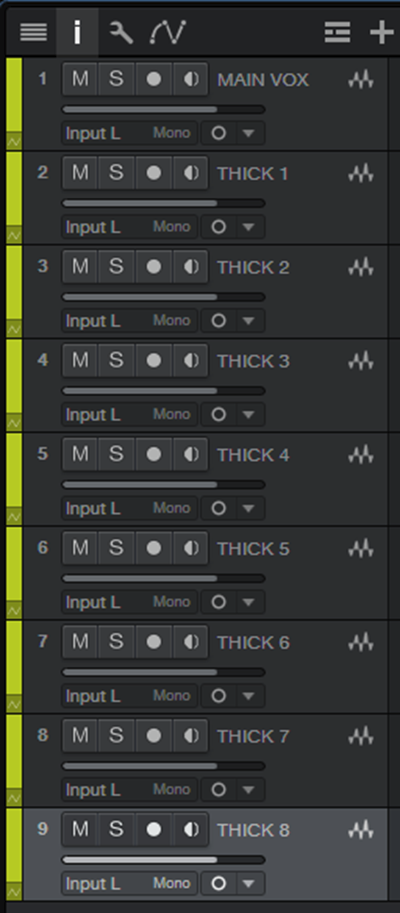
Pan them L-R, L-R, L-R, L-R.
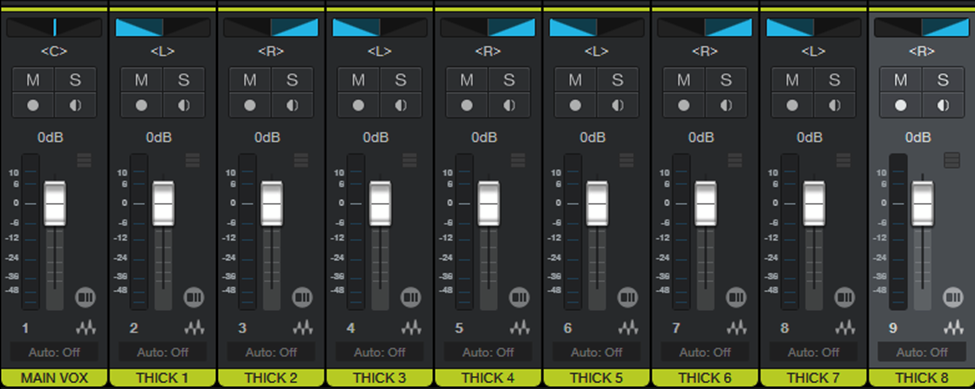
Select the 8 tracks, click on the i (inspector) in upper left corner and change time
stretch to solo.
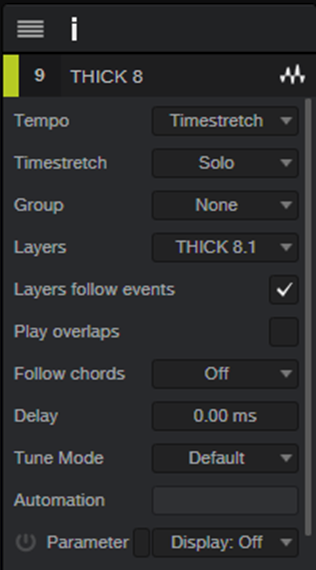
Below that are the Delay and Tune parameters we will need for the next step.
The tune parameter is measured in cents. 100 cents=1 semitone. Transpose is
measured in semitones. 12 semitones=1 octave.
Setup as follows:
| L Delay |
L Pitch |
R Delay |
R Pitch |
| 10ms |
-3 cents |
24ms |
+3 cents |
| 24ms |
+6 cents |
10ms |
-6 cents |
| 10ms |
-9 cents |
24ms |
+9 cents |
| 24ms |
+12 cents |
10ms |
-12 cents |
Once configured you can bounce the tracks to render the parameters and save on
CPU processing.
Create a stereo bus for the tracks by selecting the 8 tracks, right click and choose
“Add bus for selected channels” and blend in to taste with the original vocal.
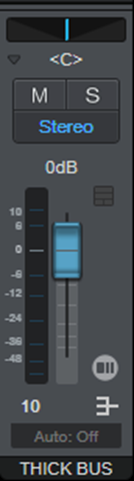
Typically, the volume would be low, just enough to thicken the vocal, but there
are no rules.
Have fun and happy mixing!